Picking the meals is the fun part. You two sit on the couch, somebody says "tacos?", somebody else says "we had tacos", and twenty minutes later there are five dinners on a week. Then comes the bit nobody enjoys: turning those five dinners into something you can actually carry around a supermarket. That translation — plan to list — is where most weeks quietly fall apart. The plan was good. The shop didn't match it. On Thursday there's no coconut milk and the curry becomes toast.
So let's talk about the handoff itself. Not which app to use — we've done that comparison elsewhere — but what actually has to happen between "we picked five dinners" and "here's the list at the shops". There are five or six real jobs in there, and if you do them by hand every week you'll stop meal planning within a month. Not because you're lazy. Because it's genuinely tedious work.
What a grocery list actually has to do
A recipe's ingredient list is written for one cook, making one thing, on one day. A shopping list is written for two people, making five things, in one trip. They are different documents with different jobs, and converting between them involves more than copy-paste.
Here's the full job description for the list:
- Merge the same ingredient across every recipe, with the quantities added up.
- Convert units so "2 cloves", "1 tbsp minced" and "half a bulb" become one line you can shop from.
- Scale to the number of people actually eating, which for most of you is two, sometimes two and a half.
- Subtract what you already own, so the cumin jar count stays at one.
- Sort into something that matches the walk through the shop, not the order the recipes were added.
- Accept edits from both of you, live, without the plan silently changing underneath.
Six jobs. A screenshot of a recipe does none of them. A notes app does the last one, badly. This is the part a meal planner with grocery list is supposed to earn its keep on.
Job one: merging ingredients without losing anything
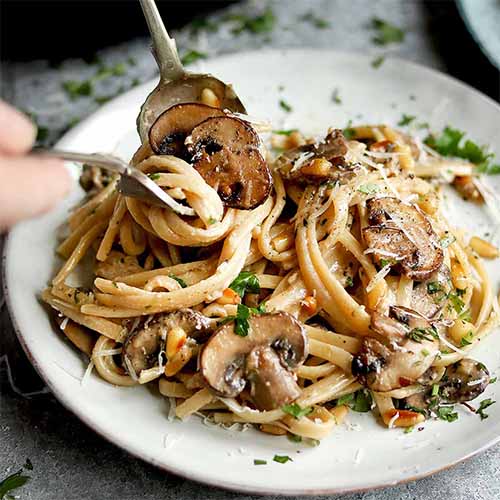
Say your week includes Creamy Garlic Mushroom Pasta on Monday and One-Pan Orzo With Spinach and Feta on Wednesday. Both want garlic. One asks for four cloves, the other for two. Both want onion. One wants a brown onion, the other a shallot "or small onion".A naive list gives you six lines. A merged list gives you two: garlic (6 cloves — one bulb) and onions (2). That's the easy case. The hard cases are the ones that make people give up:
- Same thing, different words. Coriander, cilantro, fresh coriander leaves. Spring onion, scallion, green onion. Capsicum, bell pepper. These are one line, and whoever's doing the merging has to know that.
- Same thing, different form. "1 tbsp garlic, minced" and "3 cloves garlic" both come from a bulb. "400g tinned tomatoes" and "2 cups passata" don't — those are two different products on two different shelves.
- Same thing, incompatible units. A recipe in grams and a recipe in cups, both asking for flour. Something has to pick a shopping unit and stick with it.
- Things you buy by package, not by amount. Nobody buys 1.5 limes. The list should say "limes ×2" and let the extra half live in the fridge.
Done by hand on a Sunday, merging five recipes takes about fifteen minutes and you will still miss the parsley that appeared in two of them. Done automatically, it takes the time it takes you to tap "add to list". We wrote up the mechanics of that in how to auto-generate a grocery list from your meal plan, including what the parser gets wrong and why.
Job two: scaling for two, honestly
Most recipes serve four. You are two. The obvious move is to halve everything, and the obvious move is wrong about a third of the time.
Halving works cleanly for the bulk stuff: protein, rice, pasta, vegetables, tinned things. It works badly for aromatics (half an onion is an annoying object), for eggs (good luck), for anything where a tin or packet is the smallest unit you can buy, and for the pan itself — half a tray bake in a full-sized tray just burns.
The better default for two people is: scale the groceries, keep the cooking honest. Buy for two and a bit, cook the full tin, and let the extra be lunch. A full batch of Butternut Squash Butter Bean Curry is dinner twice and nobody has to measure half a tin of coconut milk into a jar. If you're planning deliberately for leftovers, the list should reflect that — and the plan should mark Thursday as "curry again" rather than leaving it blank and hopeful. More on the arithmetic of that in how many meals you should actually plan for the week.
Job three: pantry dupes, or the fourth jar of cumin
Every couple has a shelf of duplicates. Three jars of cumin, two bottles of fish sauce, a small colony of paprika. It happens because the list is built from recipes rather than from the gap between recipes and what's already in the cupboard.
The fix sounds like it requires full inventory tracking, which nobody sustains past week three. It doesn't. It requires a standing exceptions list — the twenty or so things you always have, that should never auto-add to the list unless you explicitly say you've run out:
- Salt, pepper, olive oil, neutral oil
- Your five or six core spices
- Soy sauce, vinegar, stock cubes
- Flour, sugar, rice, dried pasta
- Garlic and onions, if you're the kind of household that always has them
Mark those once. Then the list that comes out of the plan is short and it's all stuff you genuinely need, which is the difference between a list you trust and a list you re-read suspiciously in the car park. If you want to go further than a standing list, pantry tracking for couples covers how much structure is worth the effort and where it stops paying off.
Job four: aisle order, because the shop has a shape
A list sorted by recipe makes you walk the supermarket five times. A list sorted by aisle makes you walk it once. This is the single biggest time saving in the whole handoff and it costs nothing.
Most apps group into categories — produce, meat, dairy, pantry, frozen, bakery — which is close enough for a typical shop. The ideal version matches your shop, because the Coles near you puts dairy at the back and the Aldi doesn't have aisles so much as a suggestion. Some tools let you reorder categories once and remember it. That's the feature worth looking for.
Practical benefit beyond speed: category grouping is also how you catch duplicates you missed. Two lines of "spring onions" sitting next to each other in produce are obvious. The same two lines, forty items apart under "Tuesday" and "Friday", are not.
A worked example: five dinners, one list
Here's a real week, merged. Five dinners for two, with leftovers landing on two lunches.
| Night | Meal | Shared ingredients it pulls on |
|---|---|---|
| Mon | Creamy Garlic Mushroom Pasta | garlic, mushrooms, parmesan, cream |
| Tue | Crispy Black Bean and Cheese Tacos | lime, coriander, cheese, tinned beans |
| Wed | Sheet Pan Cod Dinner With Vegetables | lemon, garlic, potatoes, olive oil |
| Thu | Butternut Squash Butter Bean Curry | coconut milk, garlic, ginger, spices |
| Fri | Citrusy Shaved Fennel Salad + bread | lemon, olive oil |
Raw, that's 58 ingredient lines across five recipes. After merging: 31. After subtracting the standing pantry list (oil, salt, spices, pasta, stock): 23. After grouping by aisle: four produce stops, one deli, one fish counter, one tinned-goods aisle, done.
Notice what the merge revealed. Garlic appears in three of the five — buy a bulb, not three separate sad bundles. Lemons appear twice and limes once, so that's one citrus stop. The cheese for the tacos and the parmesan for the pasta are the same trip to the same fridge. That's the whole value: it's not that the list is shorter, it's that the shop is shorter.
Job five: who gets to add the milk
Here's the bit the recipe-app world mostly ignores. A grocery list generated from a meal plan is a closed system, and real households are not closed systems. One of you is going to add milk, bin bags, the specific hummus, and a bottle of wine. If adding those things is awkward — if the app treats the list as read-only output from the plan — the list gets abandoned and replaced by a text message that says "also milk".
What good looks like:
- Free-text adds live alongside plan items. Milk goes in the dairy section next to the cream from Monday's pasta. No separate "extras" list.
- Edits are two-way but non-destructive. Deleting mushrooms from the list because you've already got some should not quietly remove Monday's dinner from the plan.
- Both of you see ticks in real time. One in produce, one in the pantry aisle, nobody buys two lots of feta.
- Recurring items that just show up. The milk, the coffee, the dog food. Weekly, automatic, no thought.
We walked through the setup for this — sharing, defaults, who owns what — in how to set up a shared grocery list. The short version: do it once properly, and the "also milk" text message retires permanently.
Where this gets it wrong (including us)
Honest list, because a workflow piece that claims no friction is a brochure.
Parsing is imperfect. Ingredient lines written by humans are chaotic. "1 x 400g tin chopped tomatoes (or 2 fresh, chopped)" is hard. "A good glug of olive oil" is harder. Every tool, including slrp, will occasionally produce a line that needs a human glance. Budget thirty seconds to skim the list before you leave.
Merging can over-merge. If one recipe wants Greek yoghurt and another wants natural yoghurt, a keen merger will give you one line and you'll buy the wrong tub for the curry. The fix is being able to split a merged line back out, which not every app offers.
Pantry logic can't read the back of the cupboard. Nothing knows that the cumin jar is technically present but has three grains left in it. Standing lists reduce dupes; they don't eliminate the "oh" moment at 7pm.
Aisle maps are generic. Category grouping gets you most of the way, but no app knows your specific shop's floor plan unless you teach it, and teaching it is effort most people won't spend.
None of that is fatal. It just means the handoff is a 90% automation, not a 100% one — and the 10% is a quick read-through rather than fifteen minutes of transcription.
How to run the whole thing in ten minutes
The weekly ritual, start to finish:
- Two minutes: both of you look at the week ahead. Which nights are real cooking nights, which are late, which is takeaway. Plan for the nights that exist.
- Four minutes: pick meals from your own saved library, not from the internet. Browsing is where meal planning goes to die. If your recipes aren't in one place yet, that's the prerequisite — see keeping all your recipes in one place.
- One minute: send the plan to the list. This is the automated bit. Merge, scale, pantry-subtract, sort.
- Two minutes: skim the list. Fix the one weird line. Add the milk, the bin bags, the wine.
- One minute: decide who shops and who cooks which night. Write it down where you'll both see it.
Ten minutes, once a week, and the rest of the week runs on rails. The thing that makes it ten minutes instead of forty is that the handoff happens by itself. That's the hinge the whole habit swings on, and it's why slrp treats the plan and the list as one object rather than two features that happen to live in the same app.
Common questions
Does the list update if we change the plan mid-week?
It should. Swap Thursday's curry for a stir-fry on Tuesday night and the list ought to drop the coconut milk and add the ginger — without touching the milk you added by hand. Check this behaviour before you commit to any tool; some generate the list once and then forget where it came from.
What about ingredients we only half-use?
Plan the second half. If a recipe needs half a bunch of coriander, put something else that uses coriander within three days of it. Good planning isn't just five dinners — it's five dinners that share a shopping basket. The sharing is what keeps the fridge from growing a vegetable graveyard.
Do we need separate lists for different shops?
If you split between a supermarket and a butcher or a market, yes — and the cleanest way is category-based filtering rather than maintaining two lists. Tick the produce section at the market, leave the rest for Saturday.
How many meals should actually generate a list?
Four or five dinners is the sweet spot for two people. Plan seven and you'll waste food; plan two and you'll be back at "what's for dinner" by Wednesday. Leave deliberate gaps for leftovers and the night you both get home at eight.
What if one of you eats differently?
The list handles it better than you'd think — most splits are a single swapped component, not two separate dinners. Buy the shared base, buy the two proteins, cook once. We went into the detail in meal planning when partners have different diets.