It's Sunday evening. You've sat down with your partner and a coffee, scrolled through a few saved recipes, and put together a plan for the week — bolognese on Monday, a sheet-pan thing on Wednesday, salmon on Friday. Then comes the part nobody enjoys: opening a second app (or a notes file, or an envelope from the back of the drawer) and turning that plan into a shopping list. By the time you're done, half the ingredients are missing, the other half are duplicated, and the eternal question — do we already have soy sauce? — remains gloriously unanswered.
This is the seam every couple eventually trips on. A meal planner that doesn't know about your grocery list is just a calendar. A grocery list that doesn't know about your meal plan is just a notepad. The two halves only earn their keep when they talk to each other, and depressingly few apps actually pull this off without friction. This post is about the ones that do, what to watch for, and how to tell whether a tool will actually save you a Sunday or just relocate the work.
If you want the broader landscape, we have a fuller round-up over at the best meal planning apps for couples in 2026, and a grocery-first comparison at the best grocery list apps with shared lists. This piece sits in the middle of those two — the apps you choose when the seam between plan and shop is where you're losing time.
The two halves that should be one
For most couples, "meal planning" and "grocery shopping" live in two different places. The plan lives in one of your heads (or on a fridge magnet). The list lives on a phone, but only one of your phones, and probably only the partner who happens to be in the supermarket. The handoff is a verbal one — oh, can you grab parsley too? — and it survives on goodwill rather than infrastructure.
The reason these two pieces ought to be the same software is simple: every recipe on your plan implies a small bundle of ingredients, and every ingredient has a quantity. A computer can add those up faster, more accurately, and with fewer arguments than a tired Tuesday-night person can. It can also subtract what's already in the pantry, merge overlapping items, and put everything into the order you actually walk the aisles. None of this is exotic — it's just bookkeeping, and bookkeeping is what apps are for.
The reason so few apps do it well is that it's harder than it looks. Ingredients are messy. "Two cloves of garlic" and "1 tbsp minced garlic" are the same thing in a kitchen and very different strings in a database. Quantities don't always agree (you can't add 2 cups and 200 grams without knowing what the substance is). And couples want to edit the list freely without breaking the plan it came from. The apps worth your time are the ones that have done that messy work; the rest fall back on dumping ingredients into a flat list and hoping you'll sort it out.
What "meal planner with grocery list" really has to do
It's easy to claim integration. It's harder to actually do it. Here's the short list of jobs a meal planner with grocery list has to handle before it's earning its place on your home screen:
- Add a recipe to the plan, see its ingredients on the list. The most basic test. If you have to manually copy anything across, the app failed at step one.
- Merge across recipes. If three of this week's recipes call for onion, you want "3 onions", not three separate "1 onion" entries that you have to mentally combine in the produce aisle.
- Handle servings. Bolognese for two is half the mince of bolognese for four. The grocery list should know this without anyone doing the maths.
- Let you edit the list directly. You looked in the fridge and you actually do have parsley. The app should let you tick it off (or delete it) without unravelling the meal plan it came from.
- Share with a partner in real time. Whoever's in the supermarket should see the truth, not yesterday's truth. Ticking off items should sync immediately.
- Group by category. A list of fifteen items in the order the recipes were added is not a shopping list. A list grouped into produce, dairy, pantry, meat is.
- Survive the pantry. The best apps know what you already have at home and quietly remove it from the list before you go shopping.
If you're shopping for a "meal planner with grocery list" app, that's the test set. Most apps tick three or four. A few tick six. The ones that tick all seven are the ones you'll still be using next year.
The features that matter (when you're cooking for two)
Cooking for two changes which of those features matters most. A family of five plans for the week and shops once; the grocery list is the choke point. A couple plans more loosely — sometimes only two or three meals locked in, the rest filled in as the week unfolds — and the grocery list gets edited mid-week. So for two-person households, the features that pay off are different.
Real-time sync over a wide gap
The classic failure mode for couples is: one of you adds a recipe to the plan at lunchtime, the other walks into the supermarket after work, and the new ingredients aren't there because the app only syncs when you open it. Apps that use a proper cloud backend (and not just iCloud sharing or a periodic refresh) avoid this. If the sync is slow or unreliable, you'll work around it with a phone call, which defeats the point.
Plan as you go, not just on Sunday
Most meal planners assume you sit down once a week, slot in seven dinners, and execute. Couples rarely do this. Plans get reshuffled when someone works late, or a recipe ends up not being what you wanted, or you find something on sale. A good app makes mid-week swaps cheap — drag a recipe to a different day, the grocery list updates, the partner sees the change.
Pantry that isn't a chore
Pantry tracking is the feature couples want but rarely use, because most apps make it feel like inventory management. The apps that do this well let you mark pantry items by tapping rather than by typing, and they only ask about ingredients that actually appear in your plan. A pantry that quietly removes "olive oil" from the list because you always have olive oil is a kindness; a pantry that demands you tick a hundred items every Sunday is a job.
Three weeknights, three grocery lists
An example helps. Suppose this week you've planned three dinners across three nights — a different cuisine each time, different shapes of grocery list. Here's what a meal planner with grocery list should actually do with them.
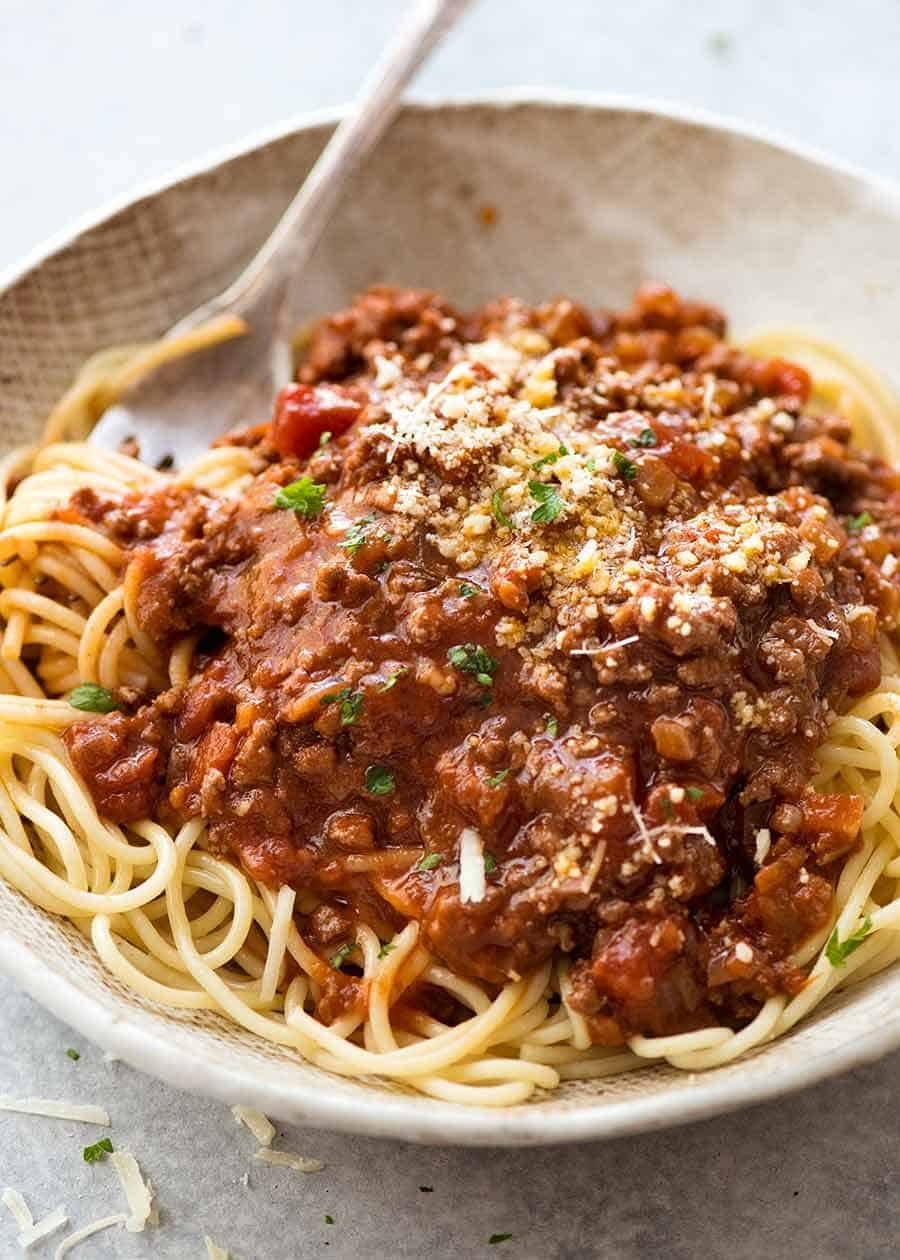
Monday: Spaghetti Bolognese. The grocery list adds beef mince, tinned tomatoes, onion, garlic, carrot, celery, spaghetti, parmesan. Nothing exotic, but a lot of small produce. The app should group the produce together (one trip to that corner of the supermarket) and notice if you already have spaghetti in the pantry.
Wednesday: One-pan baked sausage & lentils. Different protein, different aisle. Sausages, tinned lentils, more onion (this is where merging matters — you don't want "1 onion" on the list three times), stock, a few herbs. A good app rolls Monday's and Wednesday's onions into a single entry.
Friday: Miso-Ginger Salmon Crispy Rice Salad. New cuisine, new ingredients — salmon fillets, miso paste, ginger, rice, scallions, sesame oil. The list now has an Asian-pantry section that didn't exist before. The good apps know miso lives near soy sauce; the bad ones just list it under "other".
That's the shape of a normal week — three recipes, twenty-odd ingredients, a few overlaps, a pantry full of half-used jars. A meal planner with grocery list earns its keep on Wednesday afternoon, when one of you is already at the shops and the other adds Friday's salmon to the plan and trusts that the new ingredients will just appear.
The traps to watch for
Not every app marketed as a "meal planner with grocery list" actually delivers the integration. Three patterns to watch for when you're evaluating one:
The flat-list trap. Some apps generate a grocery list by dumping every ingredient from every planned recipe into one big list with no merging, no categories, and no quantity arithmetic. You're left to sort it out at the supermarket. This is technically integration, but it's the worst kind — it's faster to write the list by hand. The tell: add the same recipe twice and see whether ingredients double or duplicate.
The one-way trap. Some apps let you generate a list from a plan, but the moment you edit the list (cross off an item, change a quantity, add an extra one), the link to the plan is broken. Re-generate the list and your edits disappear. The tell: edit a list item and check whether it survives a regeneration.
The partner-as-afterthought trap. Plenty of meal planners technically support sharing, but it's a paid-tier feature, or the partner gets a read-only view, or sync only happens on app launch. For couples, this is the single most expensive failure — you went looking for a meal planner with grocery list precisely so you could split the cooking and shopping load. The tell: install the app on both phones, add an item from one, see how quickly it appears on the other.
You can spot all three traps in an afternoon of testing. The apps worth keeping survive all three.
The shortlist — apps that connect plan and shop
A few apps do this well. Without turning this into a full ranking (we have that over here), here's the shape of the shortlist as it stands in 2026:
Paprika has the most mature recipe library and a serviceable grocery list, but its sharing is awkward — it relies on syncing through an account that both partners log into, and edits don't propagate in real time. If you're a solo cook with a recipe collection in the hundreds, Paprika is excellent; for a real-time couple workflow, it's clunky.
Plan to Eat is the most "meal-planning-first" app on the market — drag-and-drop weekly calendar, automatic grocery list, sharing via a household account. Its grocery list is genuinely good, with categorisation and pantry support. Its weakness is the calendar-first mindset: you're expected to fill in seven dinners, and the app doesn't quite know what to do with the messier "we'll figure out Thursday" reality.
Mealime takes the opposite tack — it picks recipes for you and generates a tidy grocery list. Excellent if you want to be cooked at; less good if you want to bring your own recipes (the library is closed and curated). For couples who like to import from food blogs, Mealime is too restrictive.
ReciMe is the modern challenger — strong recipe import from URLs and Instagram, a clean meal planner, and a built-in grocery list. The integration between plan and shop is one of its best features. Its weakness is being aimed primarily at solo cooks; shared planning between two people is functional but not the headline use case. We've written more on this at the best Recime alternatives for couples.
slrp is built explicitly for couples cooking together. The plan and the grocery list share the same data — add a recipe to a meal slot, the ingredients land on a list that both partners are already looking at on their own phones. Real-time sync, pantry-aware, merge-aware, category-aware. We'll talk about how it handles the seam in the next section.
What slrp does with the two halves
slrp was designed around the seam, not around either half. The meal plan and the grocery list aren't two features stitched together — they're two views of the same data, owned by the couple rather than by either partner. When one of you adds a recipe to Wednesday, the ingredients show up on the list that's already open on the other one's phone, grouped by category, merged with everything else this week, with pantry items quietly removed.
A few things are non-obvious about how this is built. There isn't a "share" button — there's no concept of "your plan" versus "your partner's plan", because the data lives on a shared kitchen, not on either user. Both of you have full edit access to everything from the moment you accept the invite. Edits sync as soon as the other phone is on the network; if you're at the shops and your partner adds salmon to Friday, the salmon appears under "seafood" before you've finished looking at the produce.
The grocery list itself is editable independently of the plan. Cross off parsley because you spotted some growing on your windowsill; the plan doesn't care, the list updates, and the next time you regenerate from a new recipe, the new ingredients merge into the existing list rather than overwriting your edits. This is the boring infrastructure that makes the difference between an app you use for a month and one you still have on your home screen a year later.
If you've been planning meals in one app and writing the grocery list in another, the time saved per week is small but compounding — twenty minutes on Sunday, ten minutes mid-week when plans change, a couple of arguments avoided in the supermarket. Multiply by a year and it's a non-trivial number of evenings reclaimed for actually cooking, which is the point. We've also written more on the broader "cooking together" workflow at meal prep for two, which sits next to this piece nicely.
Picking the one that fits your kitchen
The honest answer is that "best meal planner with grocery list" depends on how the two of you actually cook. A few rough rules:
- If you plan rigidly — seven meals every Sunday, executed faithfully — Plan to Eat is probably the closest fit, with the caveat that mid-week reshuffles are clunky.
- If you don't plan at all and want the app to do it for you, Mealime, with its closed library, is the path of least resistance.
- If you've got a couple of hundred saved recipes and you mostly cook solo with occasional partner involvement, Paprika is still the king of the hill.
- If you cook together, plan loosely, and want both phones to be telling the truth at the same time, slrp is built for exactly that workflow.
Whichever one you try, the test that matters is the seam. Add a recipe to a day. Look at the grocery list. Edit the list. Add another recipe. Have the partner do the same from their phone. If, after five minutes, both phones agree on the truth and the list is grouped sensibly, you've got a winner. If the list is a flat dump in the order things were added, or the partner can't see the latest edit, you've still got a job ahead of you.
The right meal planner with grocery list isn't the one with the most features. It's the one where you stop noticing the seam — where the plan and the shop are no longer two things you do, but one thing the app does on your behalf. That's the bar. Most apps don't quite clear it; the small number that do are worth the switching cost.