Most cooking apps were built for one cook in one kitchen. You open the app, you scroll, you cook. Beautiful. Tidy. But that's not what most weeknights look like in our house, and probably not in yours either. There are two of you. One's washing rice; the other's hunting for the cumin. Someone keeps having to dry their hands to scroll. The shopping list lives on a phone — usually the wrong phone. The recipe one of you saved last week is nowhere to be found because it's in the other one's bookmarks, two apps over.
A cooking app for couples is a different category from a general recipe app. It assumes two cooks, one library, one list, and one weeknight where you're both trying to make a thing happen by seven. Below: what to look for, what to skip, what we tested, and where slrp fits in.
Why generic recipe apps fall short for two cooks
Open a typical recipe app — the well-loved ones, the ones with millions of installs — and you'll notice they all share a quiet assumption: one user, one library, one grocery list, one phone in the kitchen. That works fine when you cook alone. The cracks show the moment you add a partner.
The first crack is the library split. They've been saving recipes for years; you have too. Now there are two private collections, and the dinner you want tonight is in their app. The second crack is the list. Whoever does the shopping needs to see what the other one added — in real time, ideally checked-off in real time too — or you both end up with three jars of capers. The third crack is the kitchen itself: someone's scrolling on a phone with garlic-greasy fingers, the screen's locked again, and the recipe's at step four when you needed step seven five minutes ago.
None of these are dealbreakers in isolation. Together they nudge couples toward the same exhausting workaround: just text each other the link. And then the link gets buried, and dinner becomes toast.
What "for couples" actually means in a cooking app
We've spent the last year testing more cooking and meal-planning apps than is healthy, and a few patterns hold. The apps that work for two cooks share five traits — and most generic apps miss at least three of them.
- A shared library, not a sync-your-favourites compromise. Recipes saved by either of you show up in one place. No duplicates. No "wait, did you save this?".
- A shared grocery list that updates live. One of you adds tahini at home; the other one sees it appear at the supermarket without refreshing.
- A cook mode that handles wet hands. Full-screen, large step text, screen-stays-on, ingredient checkpoints sitting right next to the steps.
- Flexible planning, not a rigid calendar. "Tuesday: salmon" works on paper but not in reality. Real life shifts. The app should shift with it.
- One couple-level account model. Two logins, one shared dataset — not two parallel accounts hand-mirroring each other.
Almost no app does all five. Most do one or two. The ones we keep open are the ones that do three or more.
Cook mode — the in-kitchen test
This is the part most apps fail and most reviews skip. Open any recipe in your current app, walk into the kitchen, and try cooking with your hands actively wet. Three things almost always go wrong: the screen times out, the scrolling jumps you past the step you needed, and the tap targets are sized for clean dry fingers, not olive-oiled ones.
A cooking app built for couples — really for couples, not just marketed at them — has a dedicated cook mode. Full-screen. Big text. Screen-stays-on by default. One step per screen if possible, with the ingredients for that step visible so the second cook can prep ahead while the first cook does the action.
That last detail matters more than it sounds. When two people cook together, the bottleneck isn't the recipe — it's the handoff between steps. If one of you can see what's coming three steps ahead while the other is mid-saute, you work in parallel instead of waiting on each other. Dinner lands sooner. Fewer "wait, you needed garlic chopped?" moments.
A shared library beats two half-libraries
Saving recipes is mostly solved as a single-user problem. The interesting version is the two-user one. Couples accumulate recipes from different places: one of you browses food blogs at lunch, the other screenshots Instagram posts at midnight. If each pile lives in a separate app — or worse, in different sections of the same phone — the moment you want to cook from the pile, you've forgotten where it lives.
The shared-library version is simple: one collection, both contributors, both viewers. When one of you imports a URL, it lands in the same library the other one searches. No exports. No "share to". No copy-paste. We wrote more about this in our breakdown of recipe import apps and our run-through of Recime alternatives for couples — both push on the same point from different angles.
Planning together, without the calendar fight
Here's a confession: we tried the rigid-calendar approach for about a month. Monday salmon, Tuesday pasta, Wednesday leftovers, Thursday curry. By week two we were arguing about whether Wednesday could swap with Friday. By week three the calendar was half-empty and we were back to "what do you feel like?".
Flexible meal plans fix this at the source. The good ones give you a pool of recipes you want to cook this week, plus the ability to drop them onto days when you decide — and lift them off again when life shifts. Nothing's broken if Wednesday's salmon happens on Thursday. The plan reflects the week you'll actually live, not the one you'd live in a productivity ad.
The apps that nail this give you both a planning surface and an "ideas" tray — a backlog of recipes you've added without committing to a day. We dug into how the major options handle this in our best meal planning apps for couples roundup.
The grocery list handoff
The grocery list is where most couples' systems break. One person plans, the other shops. The list has to make the trip from the planner's head to the shopper's screen — accurately, without nagging, and ideally without a phone call from the supermarket parking lot.
The bare minimum: a shared list that updates live, organised by aisle (or at least by category), with checkboxes that both of you see. The nicer version: a list that's auto-built from the recipes you've planned, with ingredients merged sensibly — "200g + 300g pasta" becomes "500g pasta" rather than two separate lines.
Our review of meal planners that include grocery lists goes deeper on which apps merge well and which dump duplicates on you. The short version: the merge step is the one most apps cheap out on, and you only notice when you're standing in the pasta aisle holding two phones.
Three dishes worth cooking together this week
If you're shopping for an app, the best stress-test is to actually cook something with it. Pick a dish with enough moving parts that two cooks can divide and conquer. Here are three we keep returning to — all in the slrp library, all worth a weeknight or weekend slot.
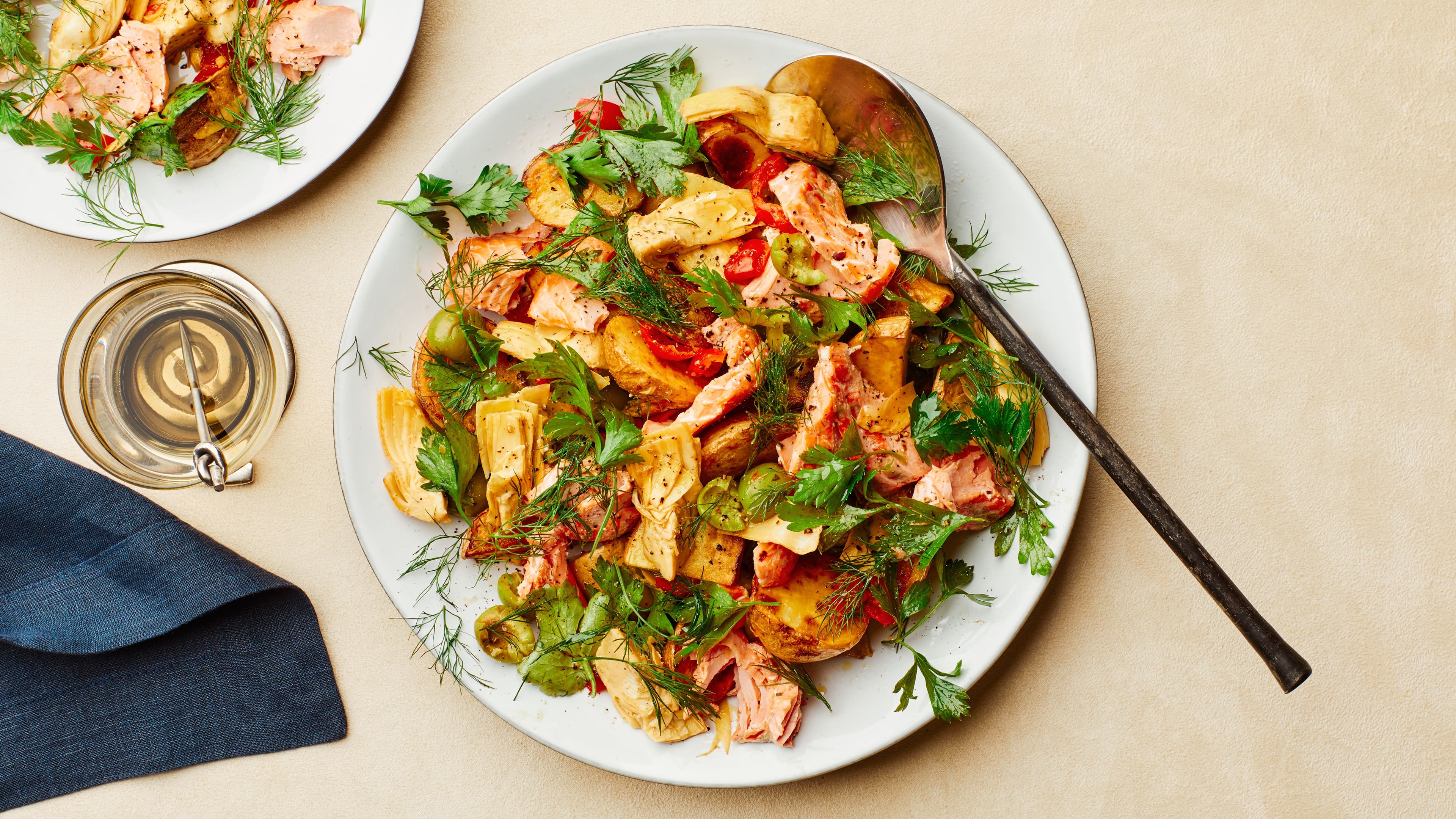
For a tray-dinner night where neither of you wants to think too hard, Sheet-Pan Salmon and Potatoes divides cleanly: one person prepping the potatoes, the other handling the fish and the dressing. One tray, low overlap, ready in under forty minutes. Excellent dishwasher math.
For a project night — the kind where cooking is the activity, not just the dinner — Chicken Biryani is the right kind of involved. There are layers, there are spices to bloom, there's a rice-to-marinade rhythm that's much easier with two people than one. Put cook mode on the iPad, split the steps, pour something.
And if you're looking for a reason to actually share dessert: Chocolate Lava Cake for Two is portioned, naturally, for exactly two. One ramekin each. No fighting over the last scoop, which is the kind of conflict resolution we can get behind.
What we're using — slrp, and why
We built slrp because none of the existing apps got the couple side right. Paprika is excellent if you're a solo organiser. Plan to Eat is robust but designed around one account. Mealime is opinionated but doesn't let you bring your own recipes. We wrote dedicated comparisons against each — slrp vs Paprika, slrp vs Mealime, slrp vs Plan to Eat — if you want the specifics.
The short version: slrp is built around a couple, not a person. Both of you log in, both of you see the same library, both of you can add to the same grocery list, both of you can drop recipes onto the meal plan. Cook mode is full-screen and stays awake. URLs from any food blog import in one tap. The plan is flexible — drag a recipe onto a day, drag it off again when the week changes shape on you.
We also obsess about the boring parts: pantry tracking so you don't buy capers again, ingredient parsing that's careful with units, a shared list that genuinely syncs in real time. None of these are glamorous; all of them are why people stay.
How to choose: a quick checklist
If you're evaluating cooking apps for the two of you, ask:
- Is the library shared, or just synced? "Sync your favourites" is the consolation prize. A shared library is the real thing.
- Does the grocery list update in real time across both phones? Test it before you commit. Open the list on one phone, add an item on the other, watch the first one.
- Does cook mode keep the screen on? If you have to tap to wake every two minutes, your hands will hate you.
- Can you save any URL? Some apps only import from a whitelist of food blogs. Yours probably isn't on it.
- Is the meal plan flexible or calendar-rigid? If swapping days requires deleting and re-adding, you'll stop using it within a week.
- Is there one account for both of you, or two parallel accounts pretending to be one? The data model matters more than the marketing.
If the app you're using passes three or four of those, you're already ahead. If it passes all six, you've found a cooking app that's actually for couples — not a recipe app with a "share" button stapled on. We think slrp is one of them; the only way to know is to bring your own recipes and a regular weeknight to it, and see what's happened by Friday.